
Design Studio
Your Account
Using the Design Studio on www.pigdesigns.com
Our design stuido makes it easy for you to uplaod a design on a garment! There are endless options of products you can shop from. Such as Apparel, Headware, Signs and banners, Drinkware, gifts, Print, and Marketing Materials you can choose from.
You even have the option of picking the manufacturer of your product, along with the printing process you want for your design!
for more information about specific services, visit our custom apparel page.
How to use the design space:
Step 1: Find the product you want to be customized! Select the color and size option you are looking for. Please note that silkscreen orders have a minimum quantity of 24!
Step 2: Click the start designing button.
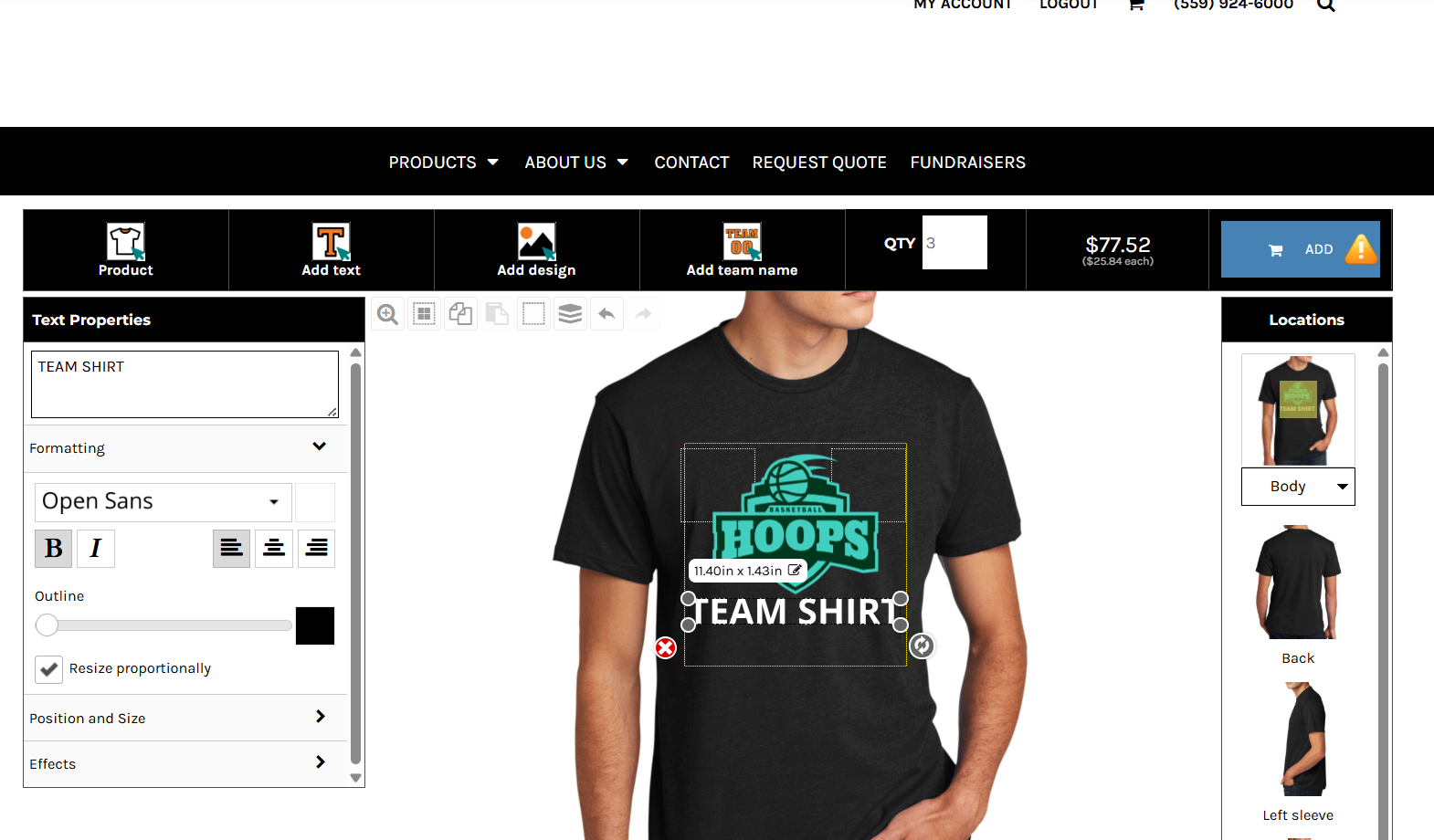
Step 3: Select Add Design, then choose type of decoration you would like on your garment: embroidery, full color silk screen, regular silk screen, or digital print. Only the decoration options available for the specific garment type will show, so you may not see all four available. From the new popup, you can upload your pre-made design (please be sure that it has a transparent background) or select stock designs available.
Step 4: If you have chosen to use stock designs, you may have the option to change the color of the design. You can also add Text to the design, selecting the desired font, font color, and font size.
Step 5: Adjust placement of your design. This will give you the option of placing the design on the left/right chest, full front, or back.
Our design space is made to be easy for you to upload completed artwork.
Please see our artwork requirements page to see what we can accept through our design studio.